Modern UI & UX
Designed natively in Unity's new UI Toolkit. Offers dark theme integration with seamless charcoal panels and vibrant neon accents that fit right into modern Unity editor versions.
A premium editor extension re-engineered from the ground up using Unity's modern UI Toolkit. Queue up dozens of packages, scan directories recursively, drag-and-drop folders, and run silent batch imports without clicking constant confirmation boxes.
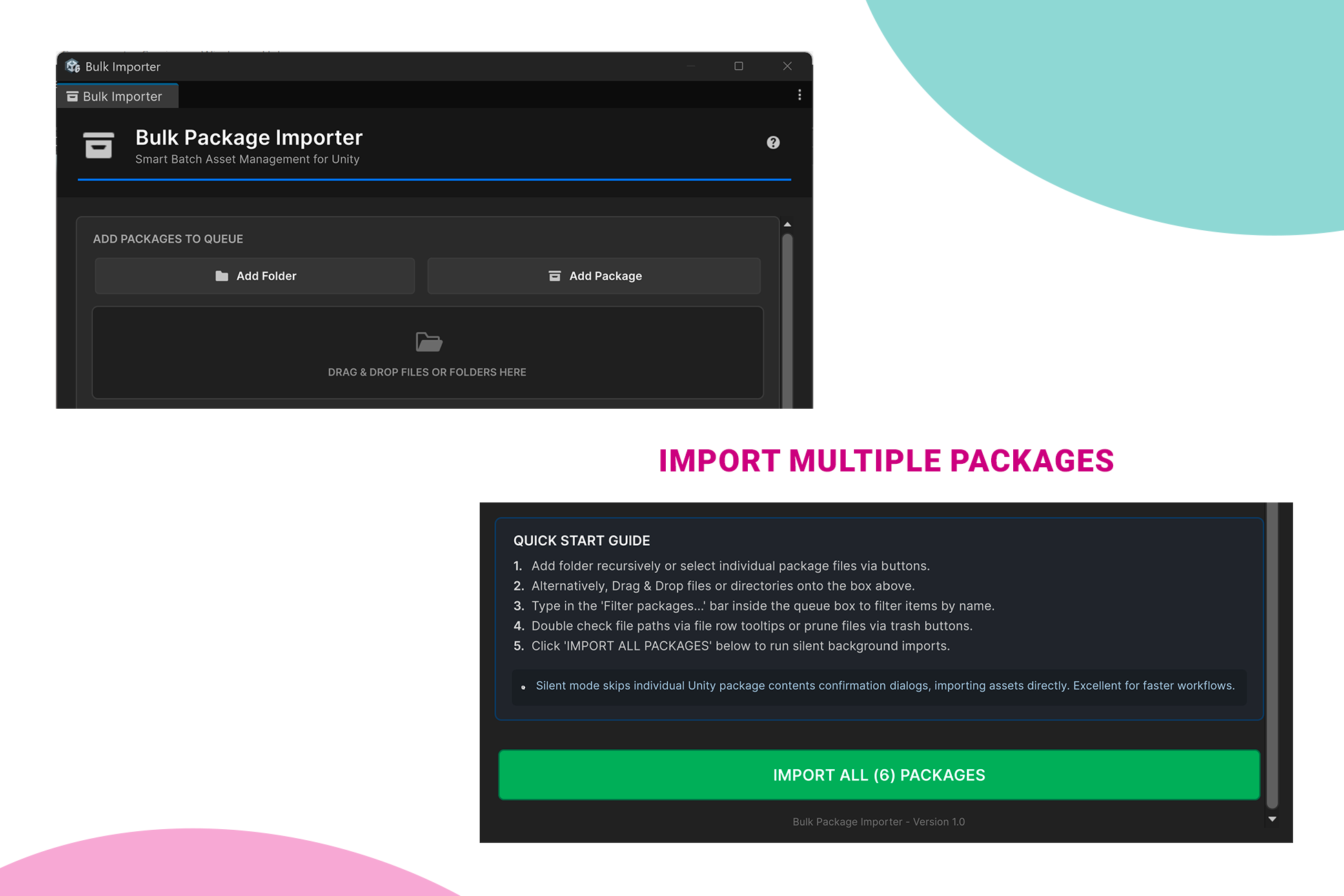
Experience how Bulk Package Importer works in real-time. Drag files, queue directories, filter items, and run simulated batch imports directly from the web interface!
Designed natively in Unity's new UI Toolkit. Offers dark theme integration with seamless charcoal panels and vibrant neon accents that fit right into modern Unity editor versions.
Gather assets instantly. Point the scanner to any root directory on your hard drive and watch it pull `.unitypackage` files hiding deeply within nested directories.
Ditch navigation dialogs. Select folders or files in your system file explorer and drop them directly onto the active dashboard drop zone for instant cueing.
Quickly search large queues of assets in real-time. Matches display instantly with indicator counters, absolute path tooltips, and rapid clear/removal keys.
Import packages in a continuous automation flow. Bypasses individual Unity package extraction popup confirmation prompts, boosting production speed.
Single C# file logic makes installation clean. Drag the importer script folder anywhere inside your Unity Assets folder, fully compliant with Unity 6, 2022 LTS, and 2021 LTS.
Bulk Package Importer is a professional, high-performance editor extension for the Unity Asset Store designed to streamline and automate the process of importing multiple .unitypackage files into your project.
Stop wasting time clicking through endless import confirmation dialogs and waiting on individual packages. This tool allows you to cue dozens of assets and run silent batch imports with a single click, allowing you to focus on game development rather than setup workflows.
Here is an in-depth explanation of how Bulk Package Importer elevates your asset pipelines:
Follow these 4 simple steps to begin batch importing assets into your project:
In the Unity top menu, select: Window ➔ Bulk Package Importer
Use any of the following convenient methods:
Click the green IMPORT ALL PACKAGES button. The importer runs silent imports, displays a cancelable progress slider, refreshes the Asset Database, and pops up a completion window summarizing results.
Review the requirements and configurations for this editor tool:
UI Toolkit (UnityEngine.UIElements APIs) rather than legacy IMGUI layouts.BulkPackageImporter.ToolsEditor folder assemblies so it gets excluded automatically from game production packages.Need support, encountered a bug, or want to suggest a new feature? We are committed to updating this utility. Get in touch with us:
// Support Ticketing Standard
Namespace: BulkPackageImporter.Support
Product: Bulk Package Importer - Version 1.0.0Hello! I am Muhammad Junaid Iqbal (operating as MJ Developer). I design professional editor scripts, custom utilities, and high-performance Unity assets aimed at simplifying developer workflows. My tools prioritize clean code, responsive modern interfaces using UI Toolkit, and robust performance.